Automated brand system for a fintech
In progressNortia does not exist. I invented a fintech — an app for people whose income changes every month: freelancers, monotributistas, people working changas — so that I could test one question with nothing at stake. Can a brand system keep producing after the designer walks away from it?
So I did the two halves. First I designed the brand: the mark, the palette, the type, and four fixed layouts. Then I built a robot that publishes with it. Every morning at nine it writes a post, generates a photograph, and lays out the same idea in the three sizes social media asks for. Nobody opens a design file. What you are looking at below is the system, then the machine, then what came out of it on one particular morning.
- The input
- One row of a spreadsheet — a headline, a colour, a layout name
- The machine
- Two n8n workflows, a language model, a photo generator
- The output
- Three finished pieces, filed in a dated folder, every day
- The designer
- Not involved after the system was drawn
- Project
- Nortia — a fictional fintech for independent workers with variable income.
- My role
- Brand system, art direction, and the automation that runs it.
- Tools
- n8n · Claude Cowork · Gemini · Magnific
One — the system
Before any of the automation, there was a brand. The palette, the monogram worked until the notch that ends up cut into every copy panel had a reason to exist, and four layouts — not templates to adapt, but four fixed compositions with names.



Two — the machine
Two workflows in n8n. The first one runs every morning and prepares the brief: it reads a row, asks a language model for the words and for a written description of a photograph, checks the answer, and makes sure there is a folder for today. Then it hands everything to the second workflow, which makes the actual images.
- ◷Schedule Trigger09:00, daily
- ▦Get rowsSheet · Nortia_Variables
- { }Pick a rowheadline, ground, layout
- ✦Creative briefGemini · brand prompt
- { }Validate briefparse + fallback per field
- △Find today's foldersearch by date
- ⇄Folder exists?yes rebuild the briefno create the folder first
- { }Rebuild briefbrief + folder id
- ⇥Generate imagecalls the sub-workflow
- △Upload pieceinto today's folder
- ◷Called by the main flow
- △Reference photodownload from Drive
- { }To base64
- { }Build the requestphotographic prompt
- ◉Generate photoMagnific · Mystic
- ⧗Wait
- ◉Check status
- ⇄Photo ready?yes continue↻ no → back to Wait
- { }Extract the URL
- { }Build the piecesHTML, three formats
- ◉RenderHTML → PNG
- ◉Download PNG
- { }Name the piecedate + format
Three — what enters, and where
The diagram above is the order of operations. This is the material moving through it: four things go in, and each one joins at a specific step.
- 01
The reference photograph
Steps 2–5 · Drive → base64 → Mystic
A photo from Drive is not the photo that gets published. It is sent to Magnific together with the written scene the model produced, and what comes back is a new photograph in the same register — same light, same kind of room, same lens. The reference sets the register; it never appears.
- 02
The four layout sheets
Step 10 · Build the pieces
The row names a layout — izquierda, derecha, modular izquierdo, modular derecho — and that string decides which of the four sheets gets rebuilt as HTML. The sheets are the source: their margins, their mask shapes and their type scale were transcribed into CSS once, and the code only chooses between them.
- 03
The copy
Step 10 · Build the pieces
The headline comes from the spreadsheet, the subhead and the call to action from the model. They drop into the holes the sheets left open. Nothing resizes by hand: the panel grows with the text because it was built to.
- 04
The three canvases
Steps 11–13 · Render, download, name
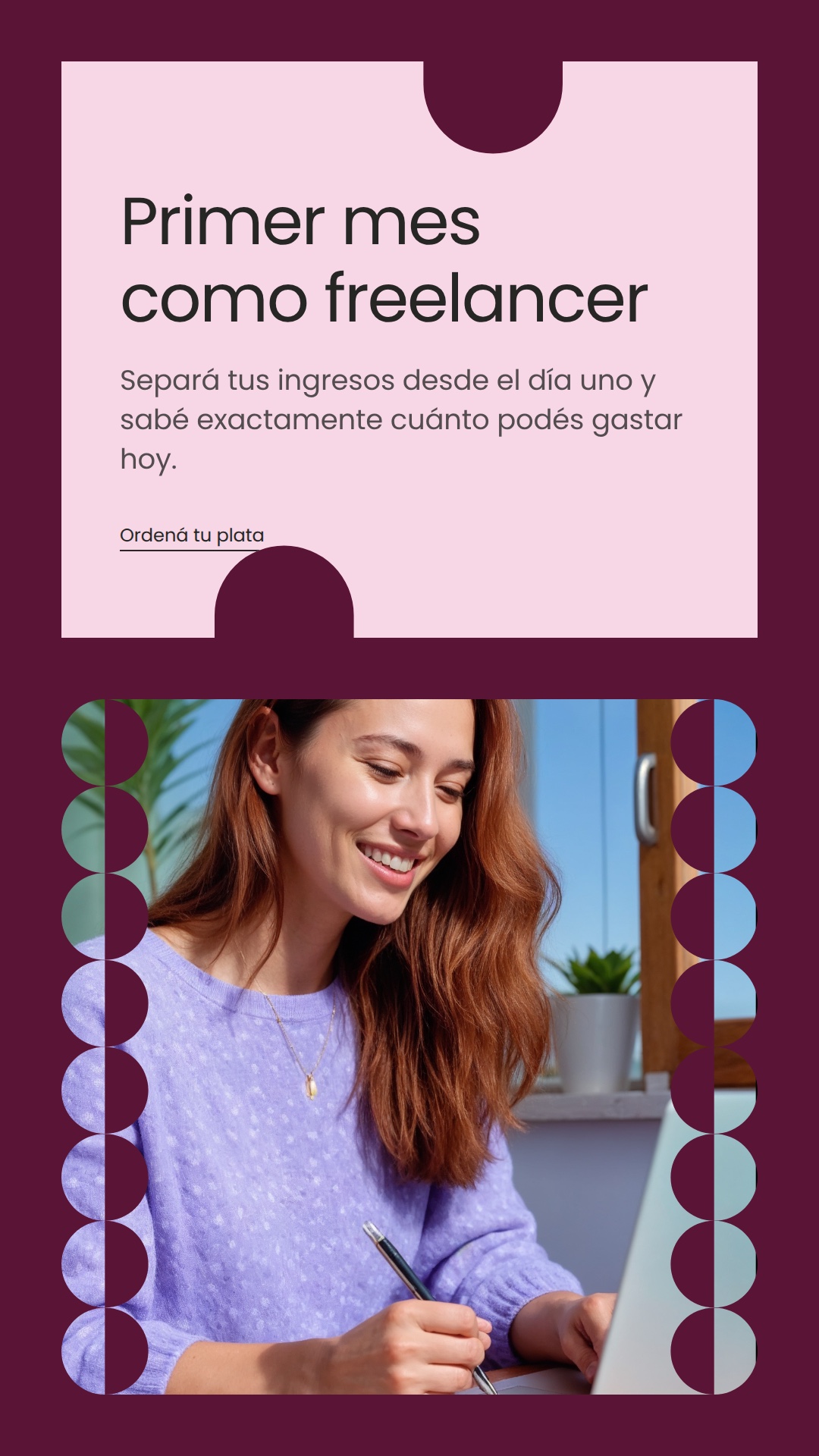
One HTML document per format, rendered to PNG by an HTML-to-image service. The story does not scale the feed piece down — the copy panel moves above the photograph, because that variant was drawn that way. Then each file is named by date and format and filed.
Four — from sheet to HTML
The shapes are CSS, not images. The arch that masks the photograph, the scalloped edge, the notch bitten out of the copy panel — none of those are exported PNGs sitting in a folder. They were rebuilt as border radii and repeating gradients, so they stay sharp at any size and change colour by changing one value.
Every piece is one document, built from a template. The layout sheet gives the skeleton: where the panel sits, how wide the measure is, how much air surrounds the mark. That became an HTML template with slots — headline, subhead, call to action, photograph, ground colour — and the workflow fills the slots and hands the document to a renderer that returns a PNG.
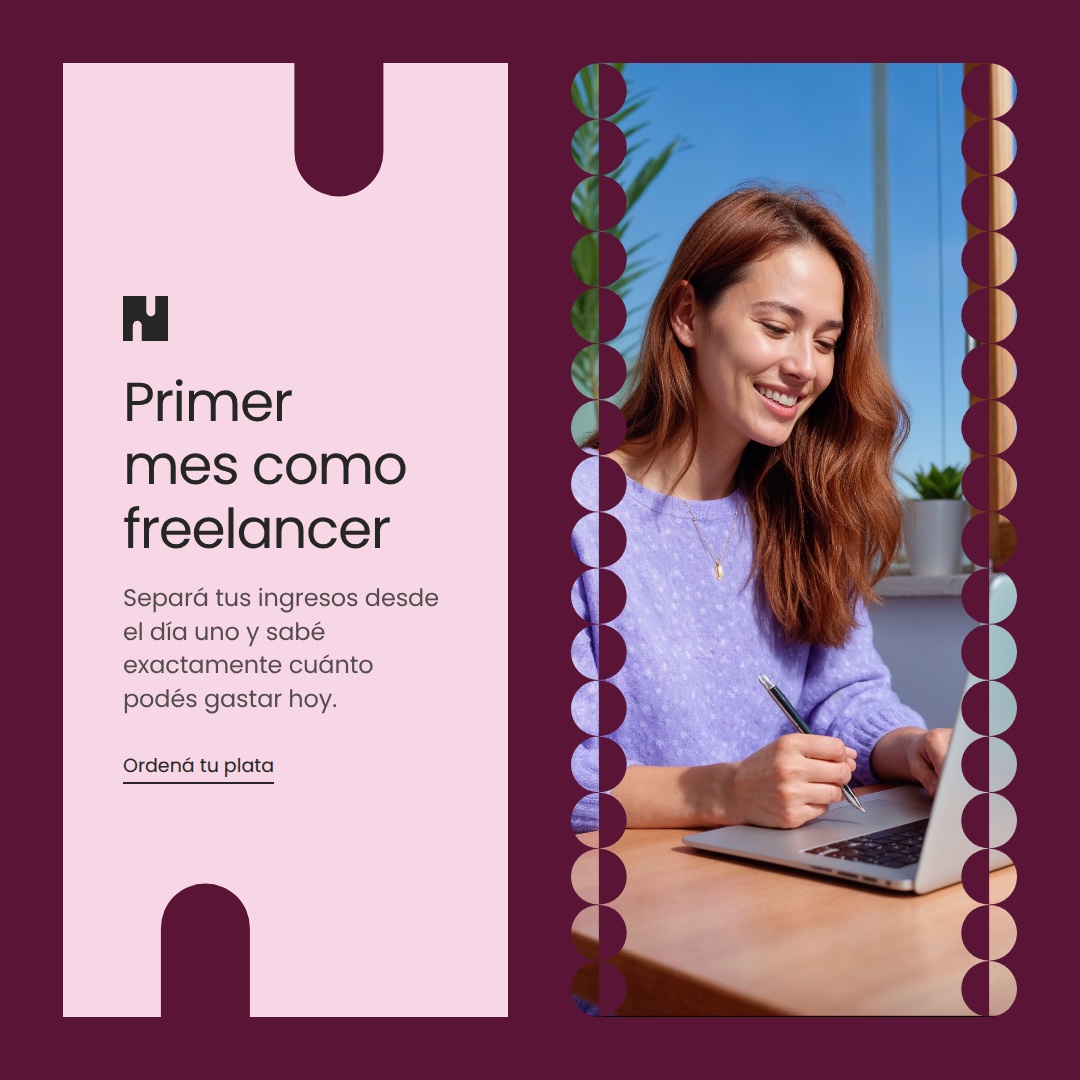
The formats are three documents, not one resized. Feed, square and story are built separately, because a story is not a tall feed piece. The proportions change what the layout should do, and the sheets already answered that: side by side when there is width, stacked when there is height.
Five — one morning, two runs
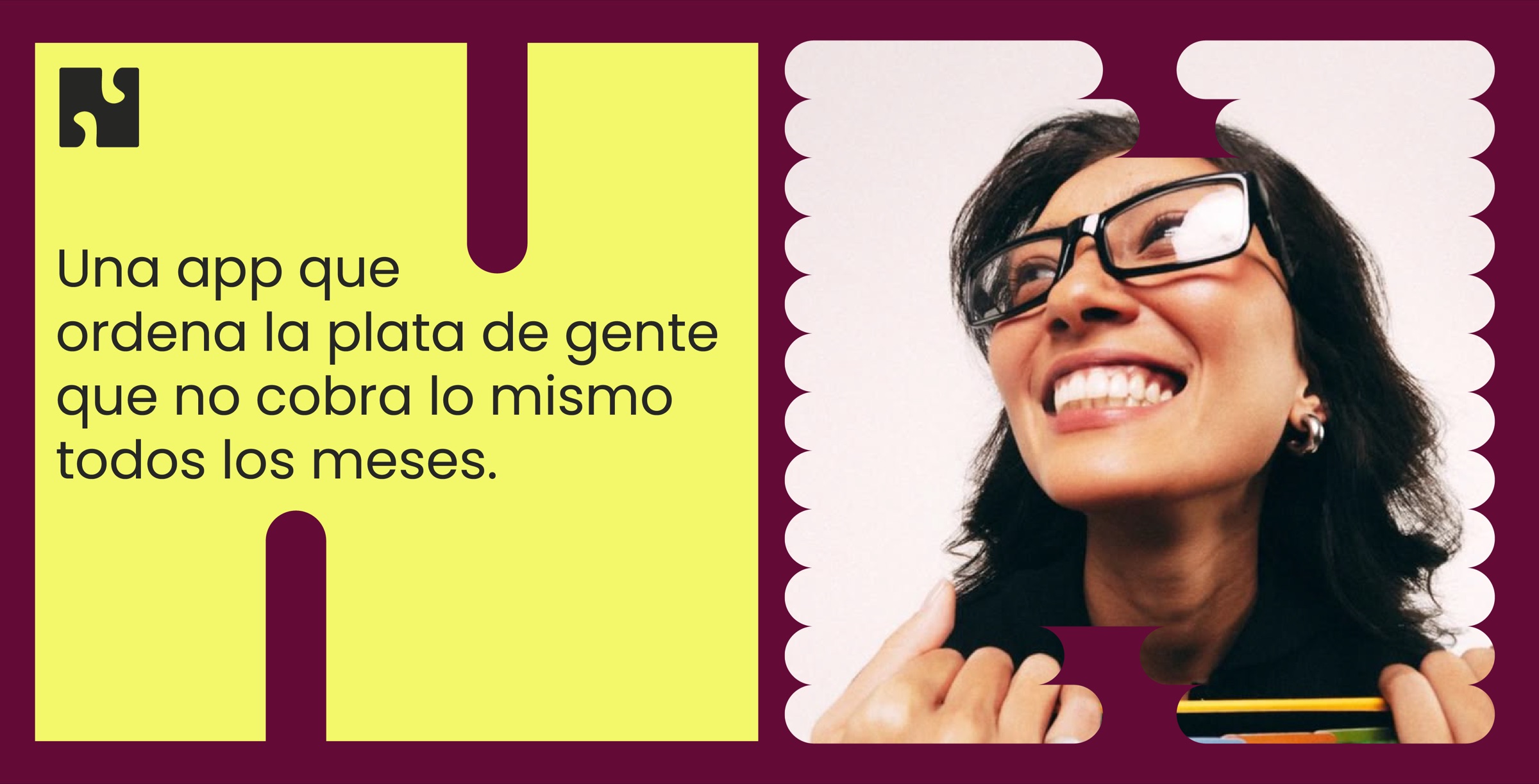
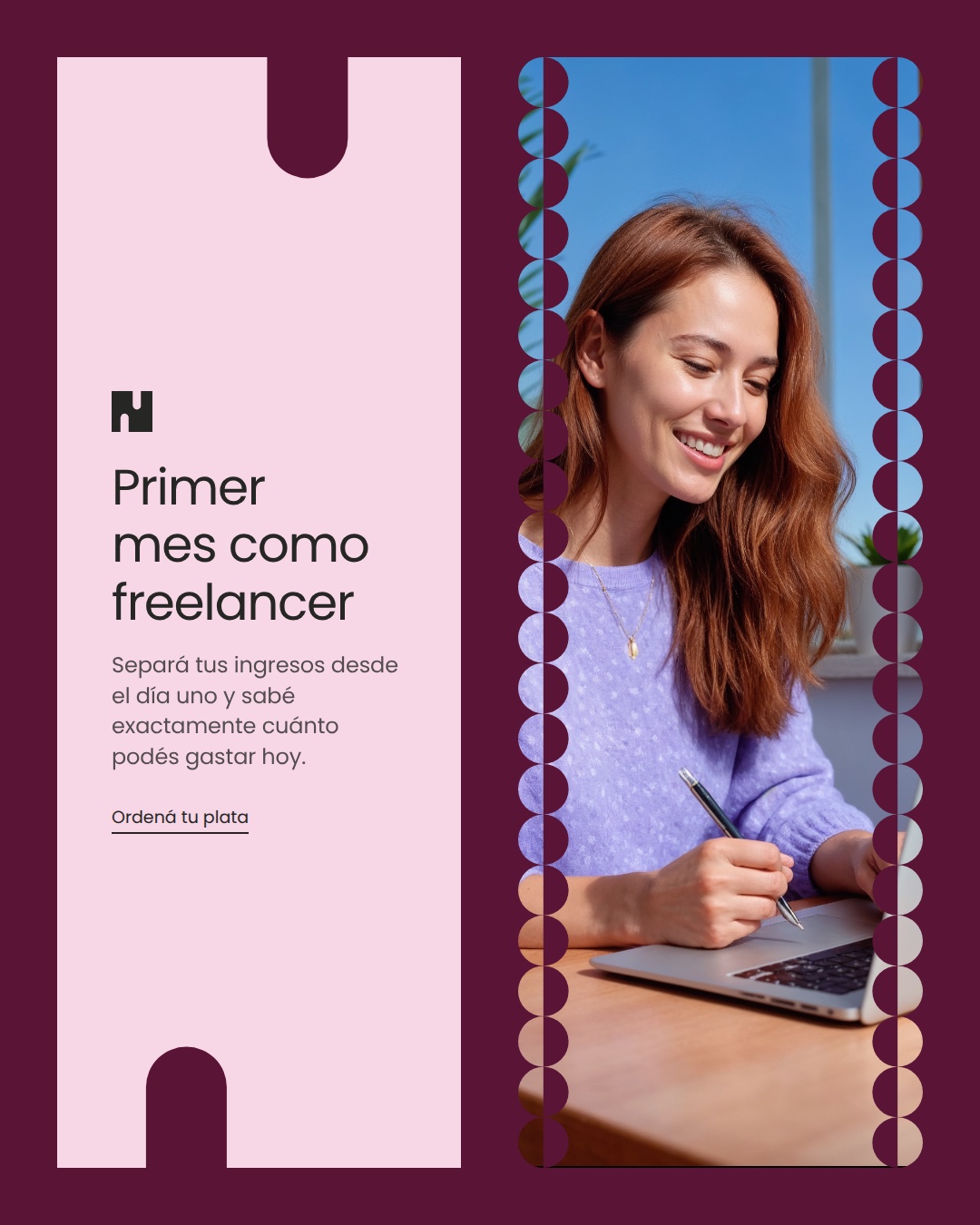
Two runs from the morning of 10 September 2026. Each one took a different row of the spreadsheet, so each got its own headline, its own ground colour and its own layout — and within a run, the same headline, subhead, call to action and photograph are composed three times, once per format.
Primer mes como freelancer
Celebrar un mes récord
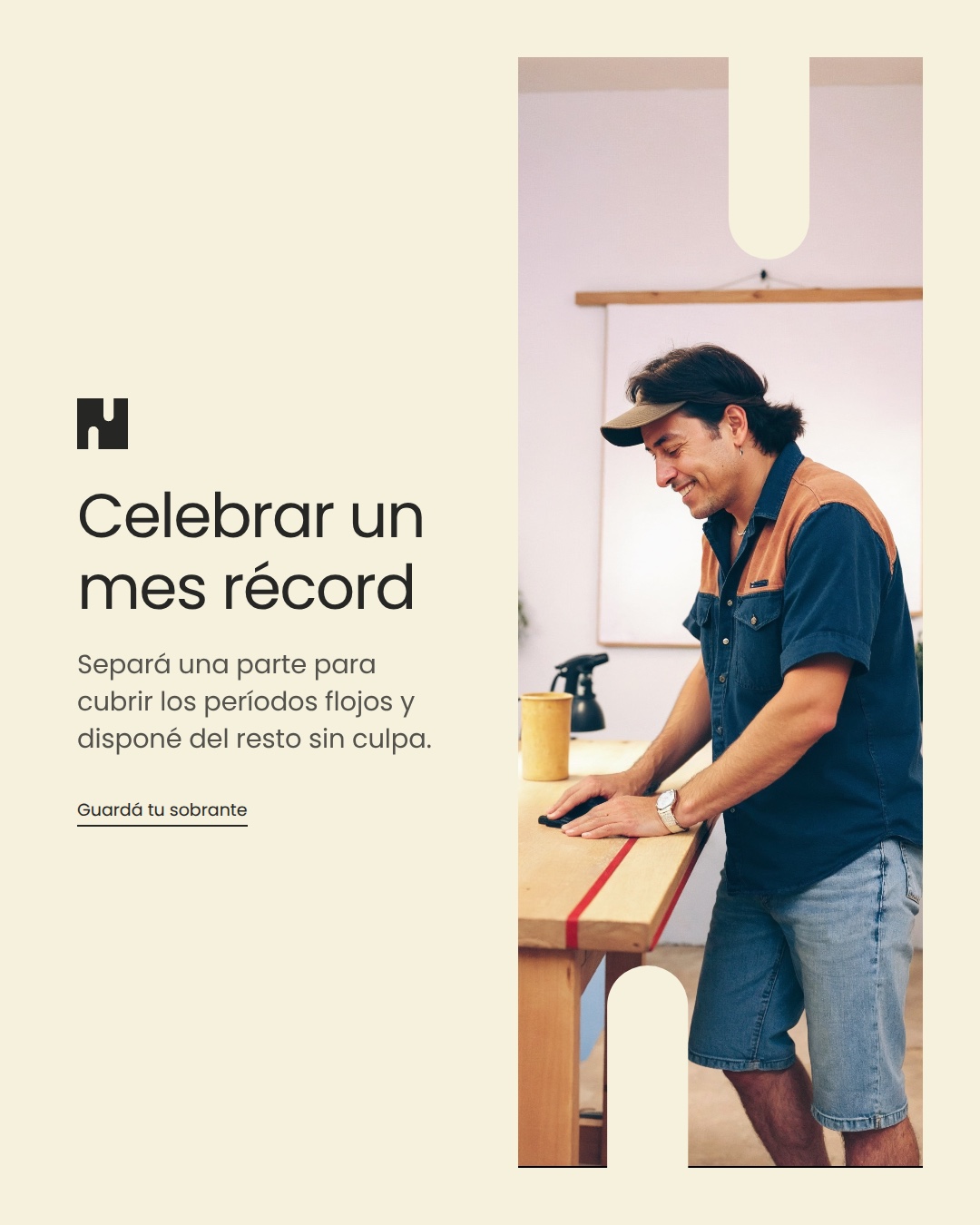
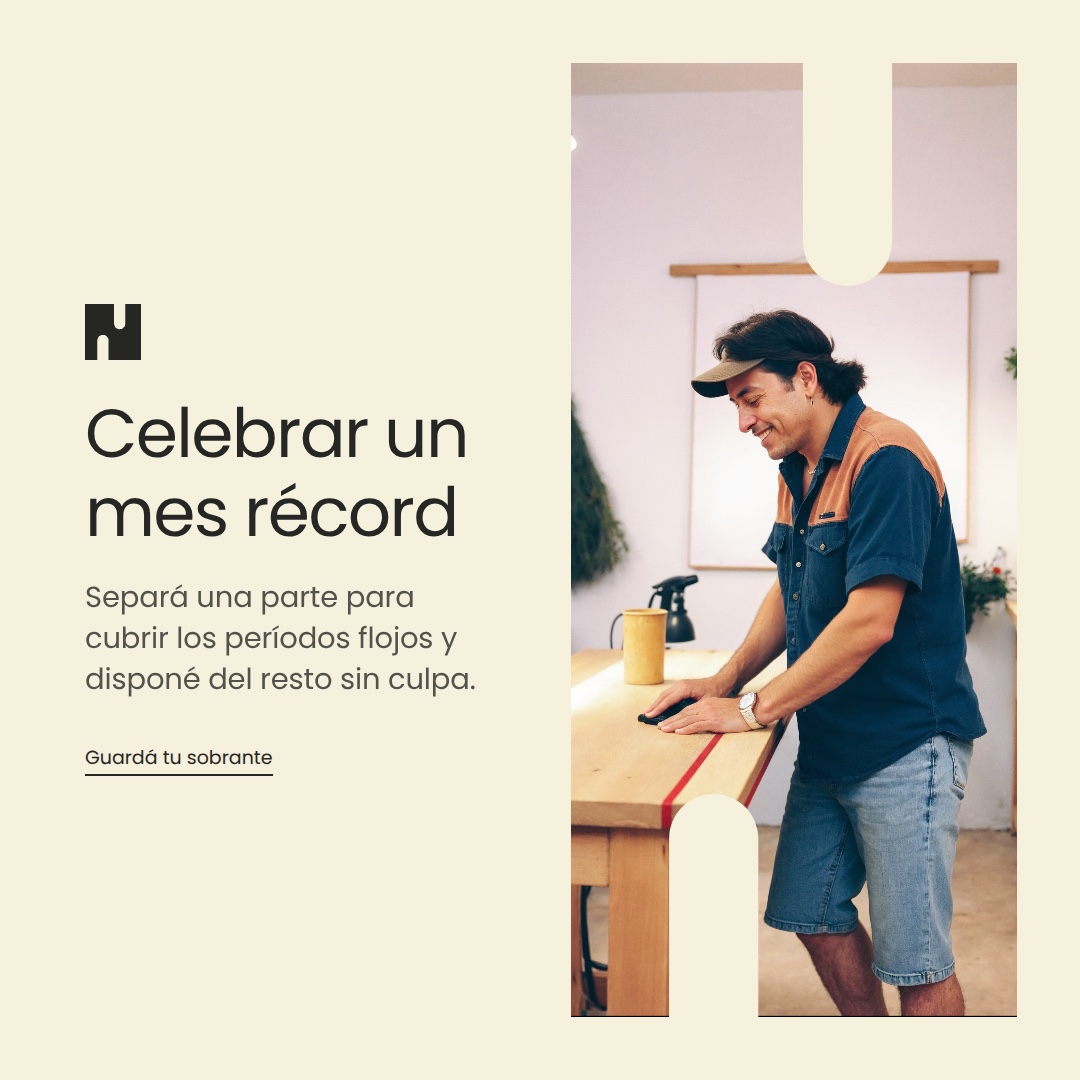
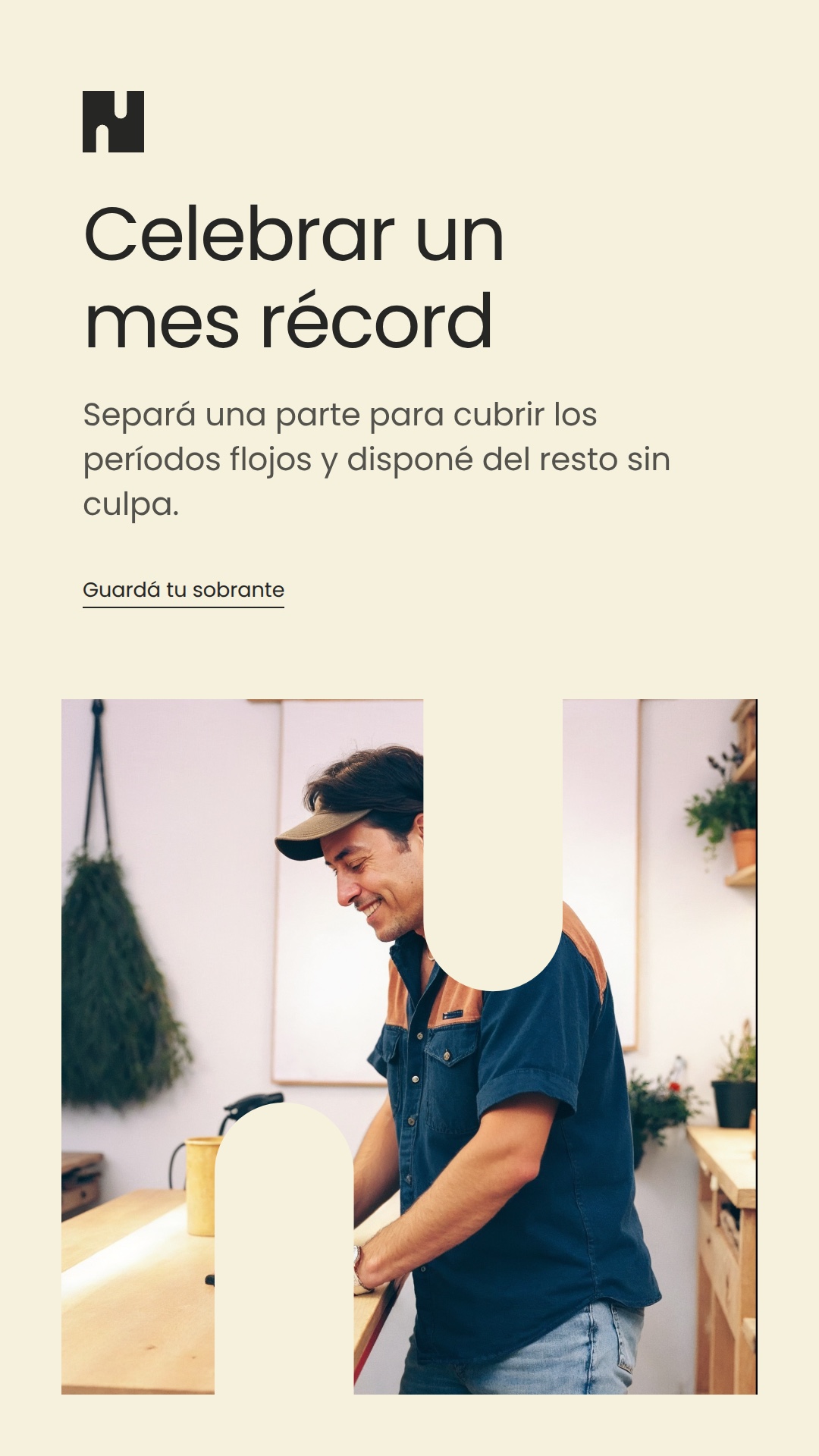
System vs output
The layouts are not suggestions, they are values. Each of the four sheets has a name, and those names are exactly what the layout column in the spreadsheet is allowed to contain. There is no fifth option and nothing in between. The two runs above prove it from the other side: one came out modular derecho on plum, the other derecha on cream, and nothing was touched between them.
This pair is the test the case rests on. If the produced pieces and the system sheets read as two different brands, then it was never a system — just a set of one-off decisions that happened to agree with each other. What has to survive the trip is the geometry: the same margins, the same divider rhythm, the same relationship between panel and image, at proportions the sheets never showed.
Decisions
The headline is never the model's. It comes from a column in the spreadsheet, and the prompt says so twice — don't rewrite it, don't repeat it, work around it. The model fills the subhead, the call to action and the caption, and that is the whole of its authority over the words.
A bad answer can't take the day down. The validation step parses whatever comes back, strips markdown fences, and carries a written fallback for every single field. When the model returns something malformed, the cost is one flat line of copy — not a day with nothing published.
Art direction is enforced after the model, not requested before it. The photographic prompt gets its hard rules appended in code once the model is done: editorial documentary, natural light, shallow depth of field, and no text, no logos, no interfaces anywhere in the frame. A model that drifts still cannot put type inside the photograph, because that instruction isn't a request — it's concatenated on the way out.
What I learned
Automating the production was the easy half. The hard half was deciding what the machine is not allowed to choose — and then building the guardrails somewhere the model can't reach, which turned out to mean in code after it, not in the prompt before it.